Skip to content
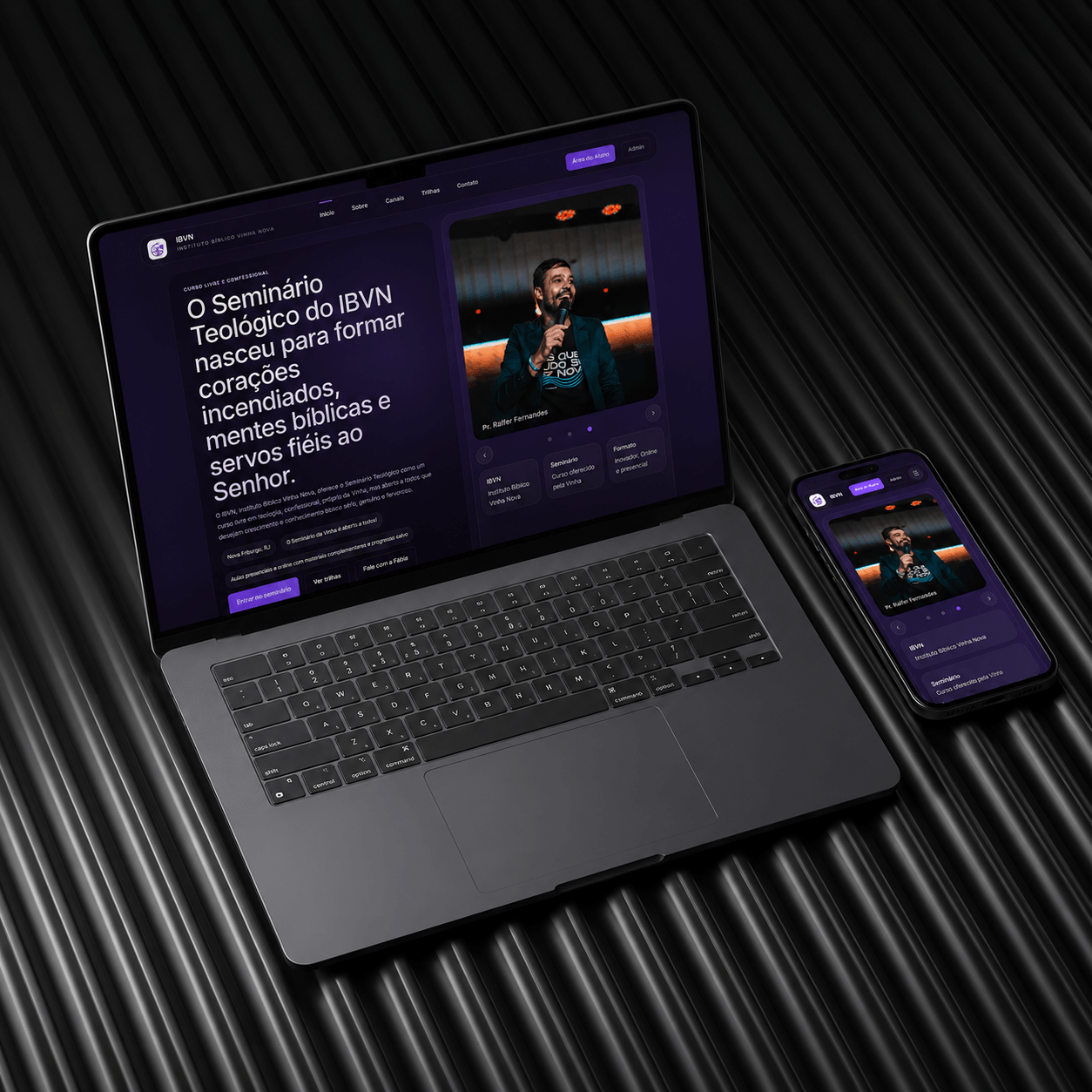
Cover of the Seminário Vinha Nova project
Project
Seminário Vinha Nova
Sector
Education · Religious institution
Services
Learning platform, Admin panel, Student area
Year
2026

Teaching platform for Instituto Bíblico Vinha Nova: website, enrolment, student area and the registrar's dashboard.

Instituto Bíblico Vinha Nova ran its classes the way almost every small institution does: enrolment by form or on paper, materials shared in a messaging group, attendance written by hand and grades kept in the coordinator's memory.

That works with one class. With several, and with students studying at different times, the registrar's job becomes looking for information instead of following students.

The challenge

  • Introduce the seminary to someone who has never heard of it and take that person to enrolment without leaving the site.
  • Give the student one place with lessons, materials and assessments that opens properly on a phone.
  • Let the registrar follow progress and classes without a parallel spreadsheet.
  • Separate three roles with different permissions: student, administrator and pastor.

The solution

The public site explains the seminary in the order the questions come up: what it is, who it is for, what is studied and how the follow-up works. The learning tracks (foundations of faith, biblical hermeneutics, pastoral theology) appear as numbered blocks, and enrolment is a short form that already creates the student's account.

Inside, the platform has lessons, materials, assessments and a profile for the student, plus a dashboard for the administration to follow progress and classes. Authentication with distinct roles (student, admin and pastor) defines what each one reaches, and the content is published by the team itself.
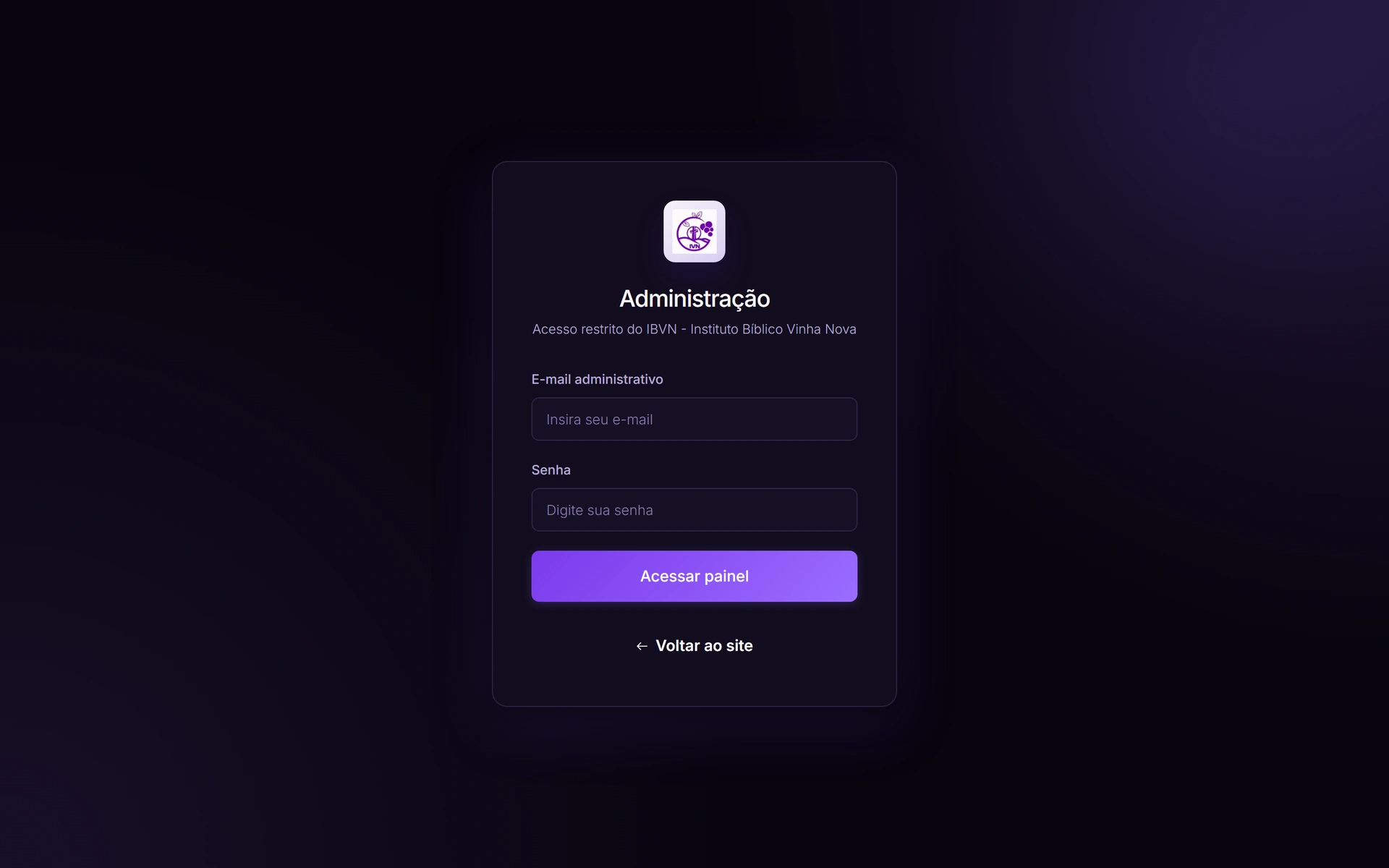
Admin sign-in screen of Instituto Bíblico Vinha Nova
Admin sign-inThe IBVN restricted access. Student, administrator and pastor come through the same door and each one reaches different things on the inside.
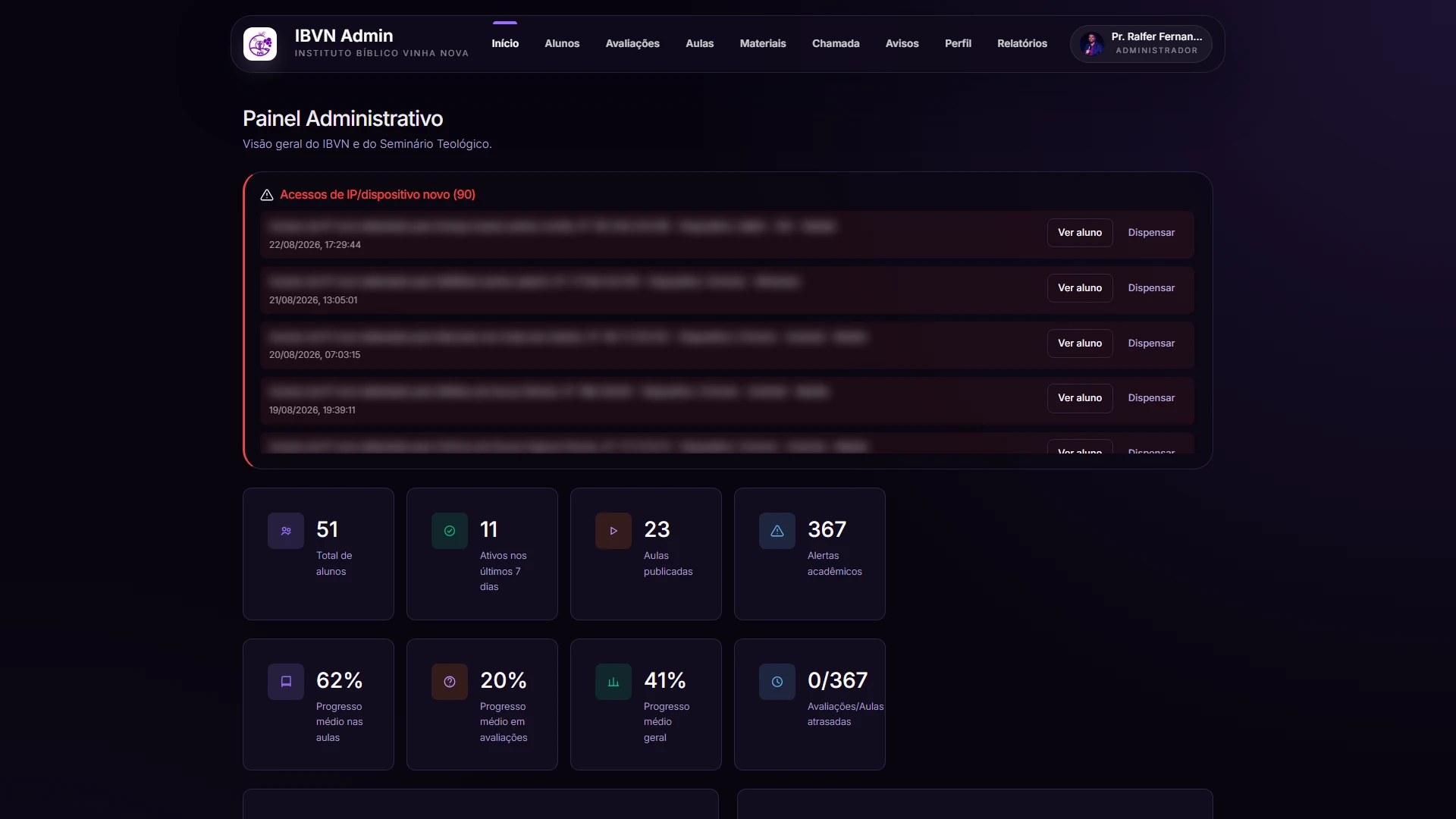
Seminário Vinha Nova admin dashboard with access alerts and class indicators, student data blurred
Registrar dashboardIt opens on the new IP or device alerts, and only then on the numbers: enrolled students, active in the week, published lessons and average progress across lessons, assessments and overall. Student names and IPs are blurred: the system is live, with real people in it.
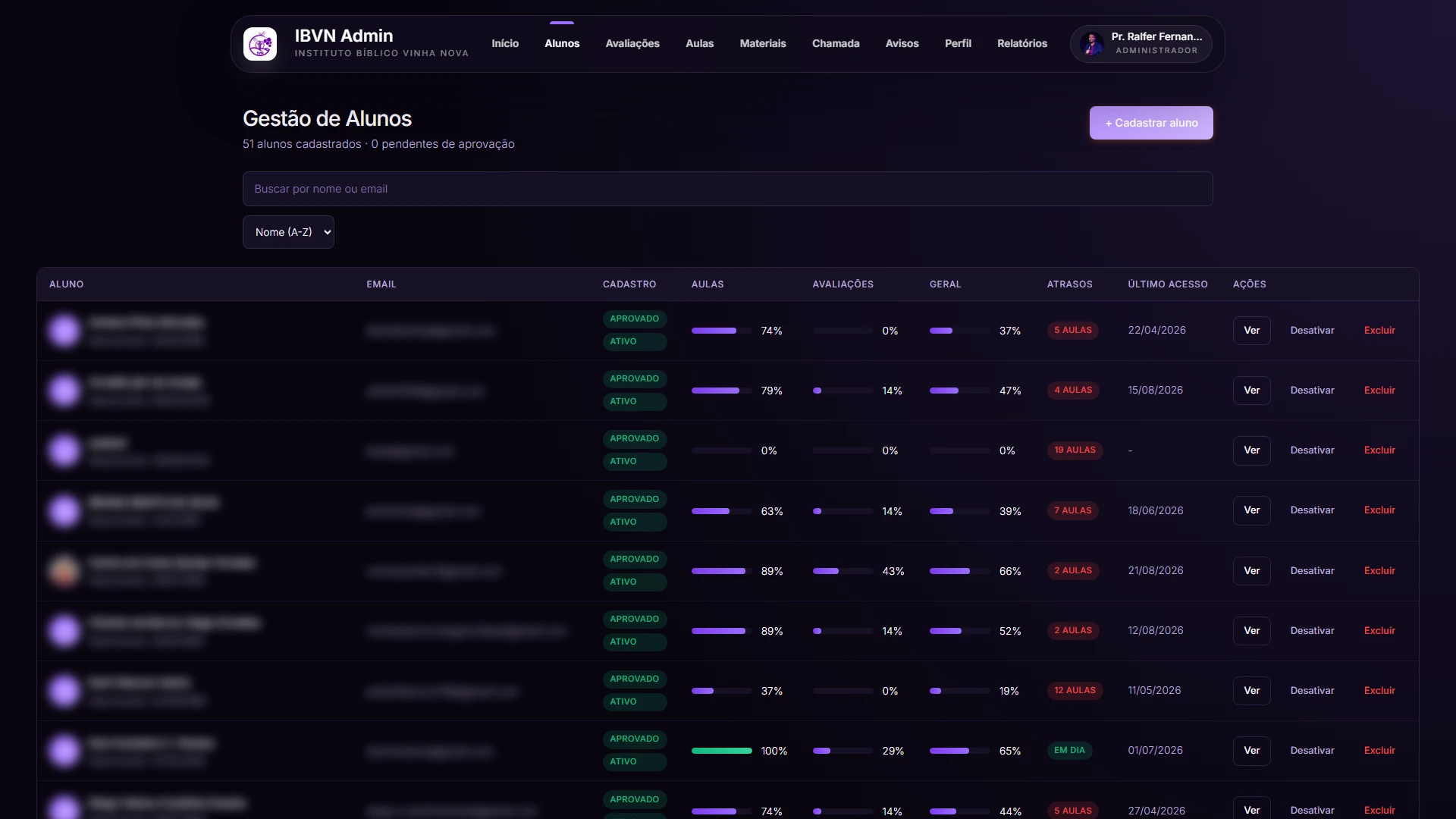
Seminary student management screen with progress, overdue lessons and last access, personal data blurred
Student managementAll 51 enrolled in a single table, with registration status, progress across lessons, assessments and overall, how many lessons are overdue and when they last signed in. This is the screen that replaces the office spreadsheet. Names, e-mails and birth dates are blurred.
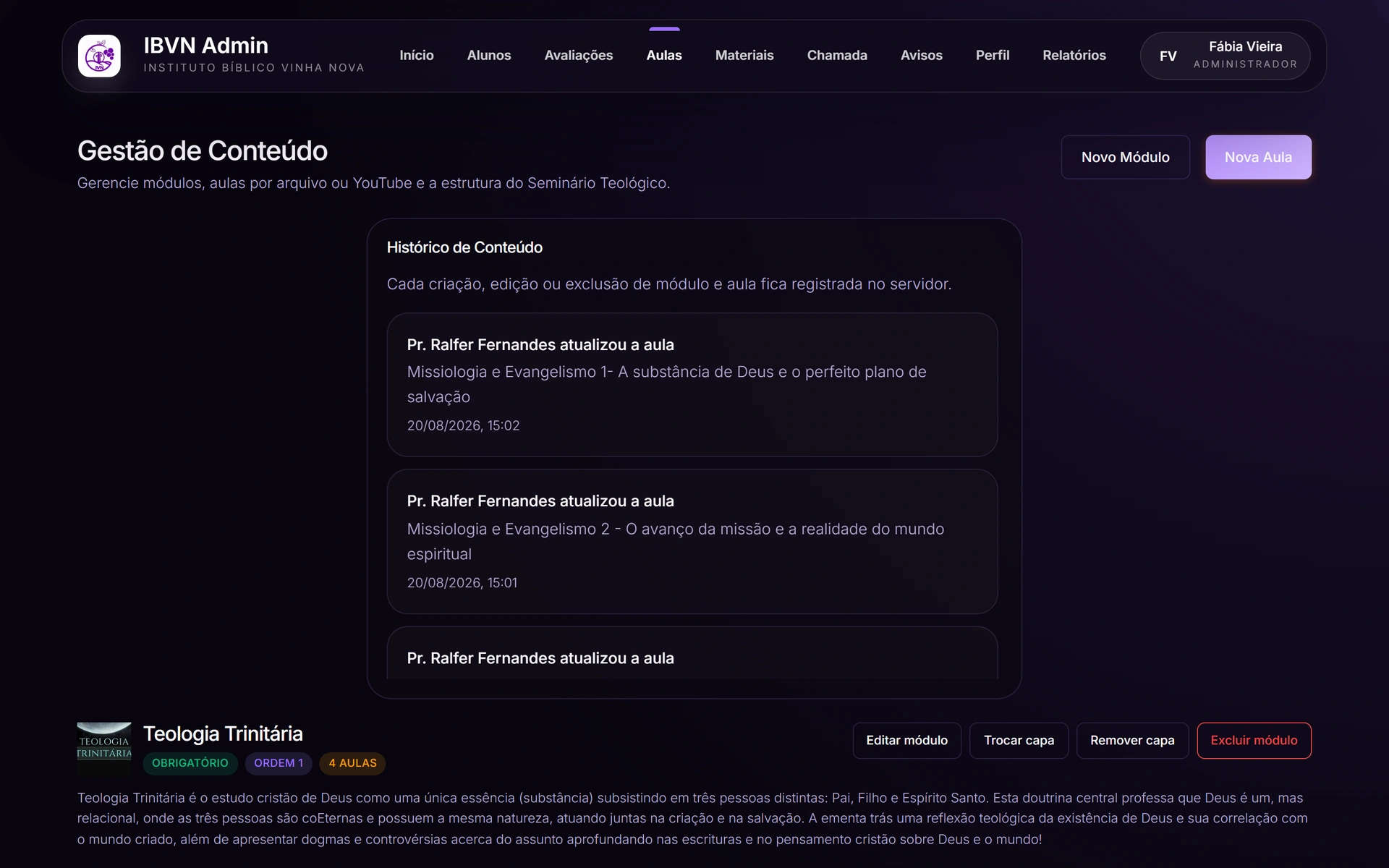
Seminary module and lesson management screen, with change history
Content managementModules and lessons built by the team itself, with the history of who changed what and when. Each module carries its cover, its order and its syllabus.
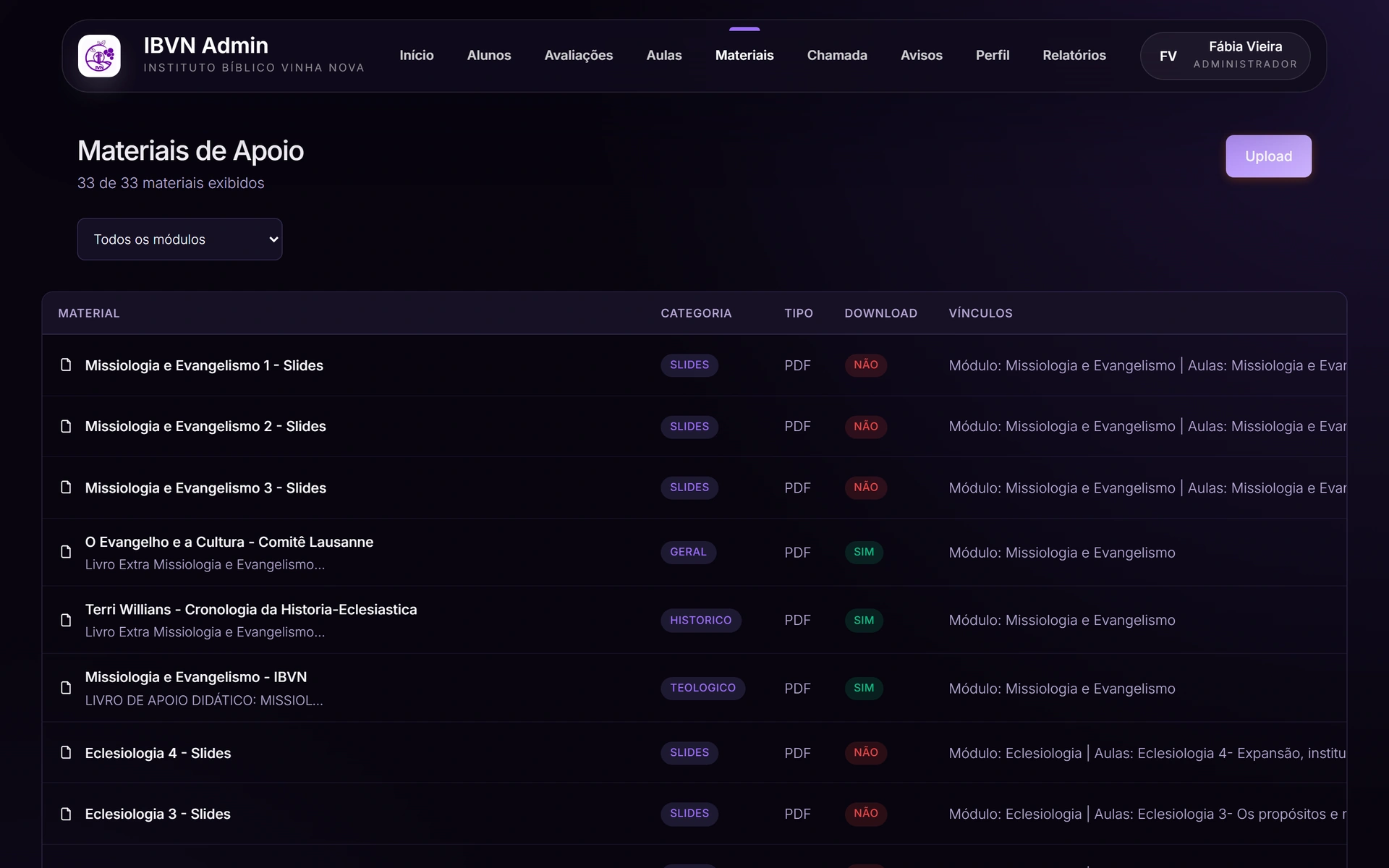
Seminary course material library, organised by module and category
Course materialsPDFs, slides and readings tied to the module and the lesson that ask for them, with a category and a download permission. There are 33 of them, and none lives in a chat group.
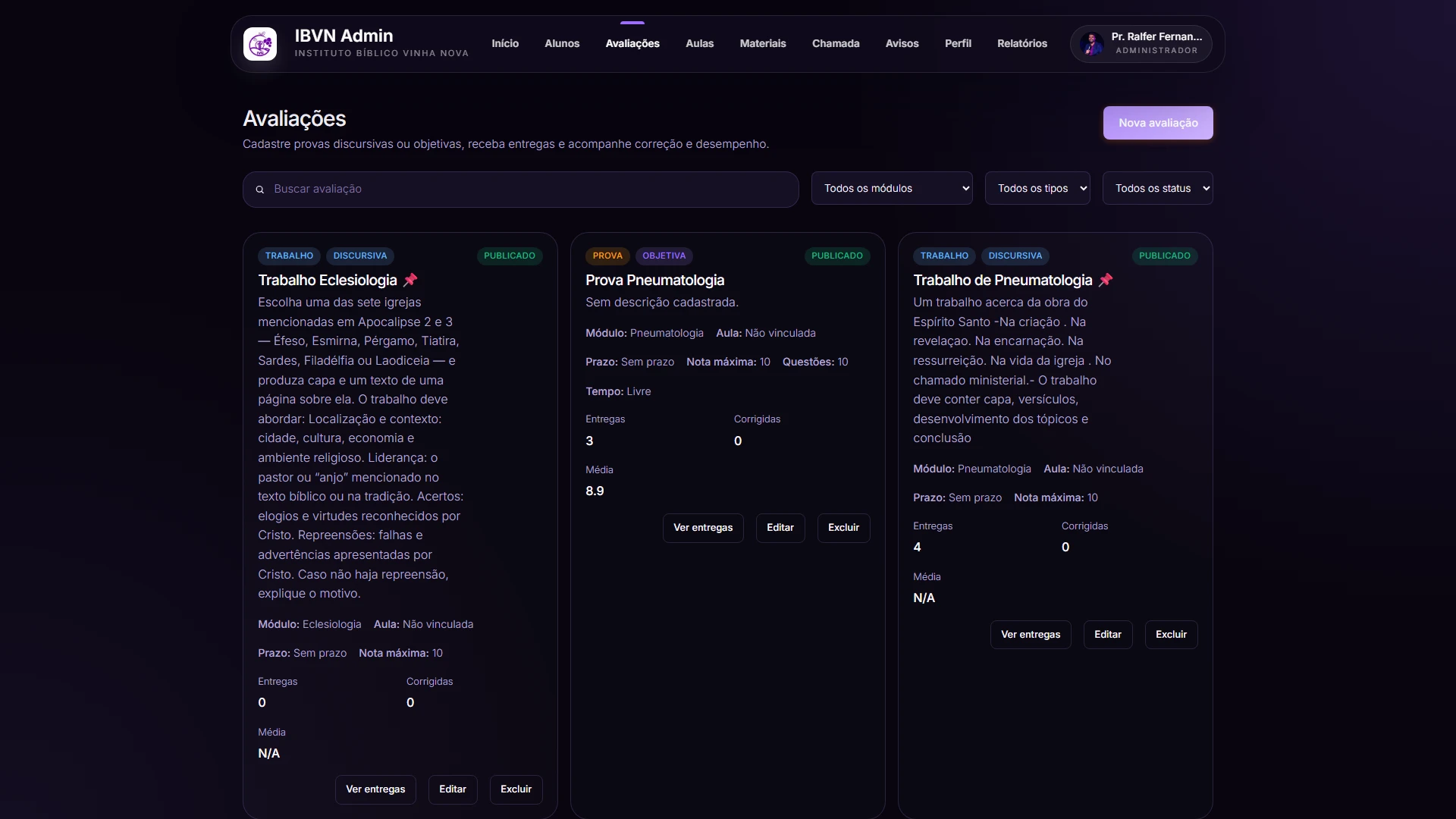
Seminary assessments screen with tests and assignments, deadlines, submissions and average
AssessmentsObjective tests and written assignments as cards: the full brief, the module, the deadline, the maximum grade and the submitted-versus-marked score, with the average beside it. The teacher sees at a glance what is still waiting to be marked.
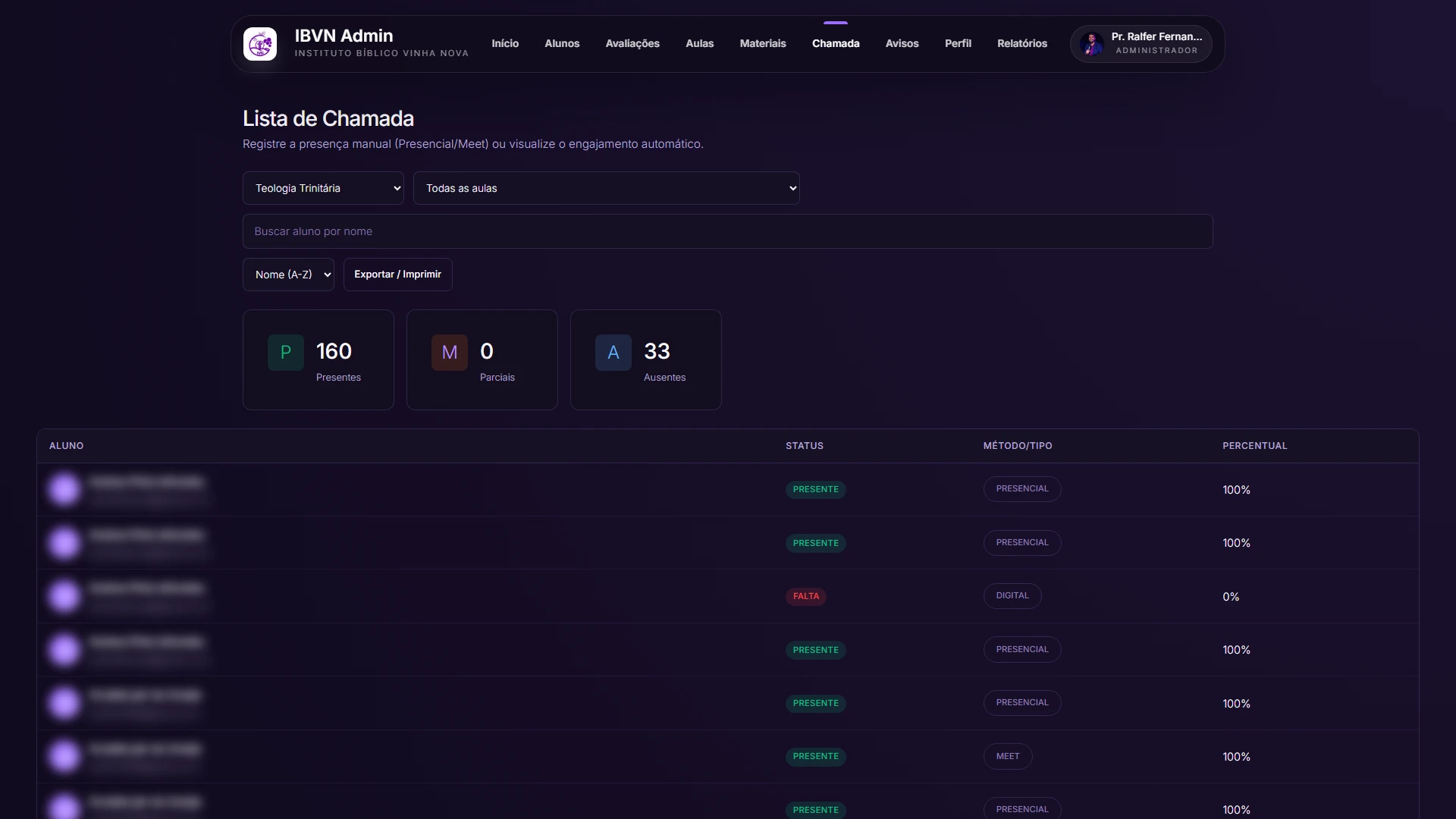
Seminary attendance list by module, with present, absent and the method behind each mark, names blurred
AttendanceOnce a module is chosen, attendance opens with present, partial and absent totalled and the student-by-student list. Each row shows how attendance was counted: in person marked by hand, or digital and Meet worked out by the system itself. Names are blurred.
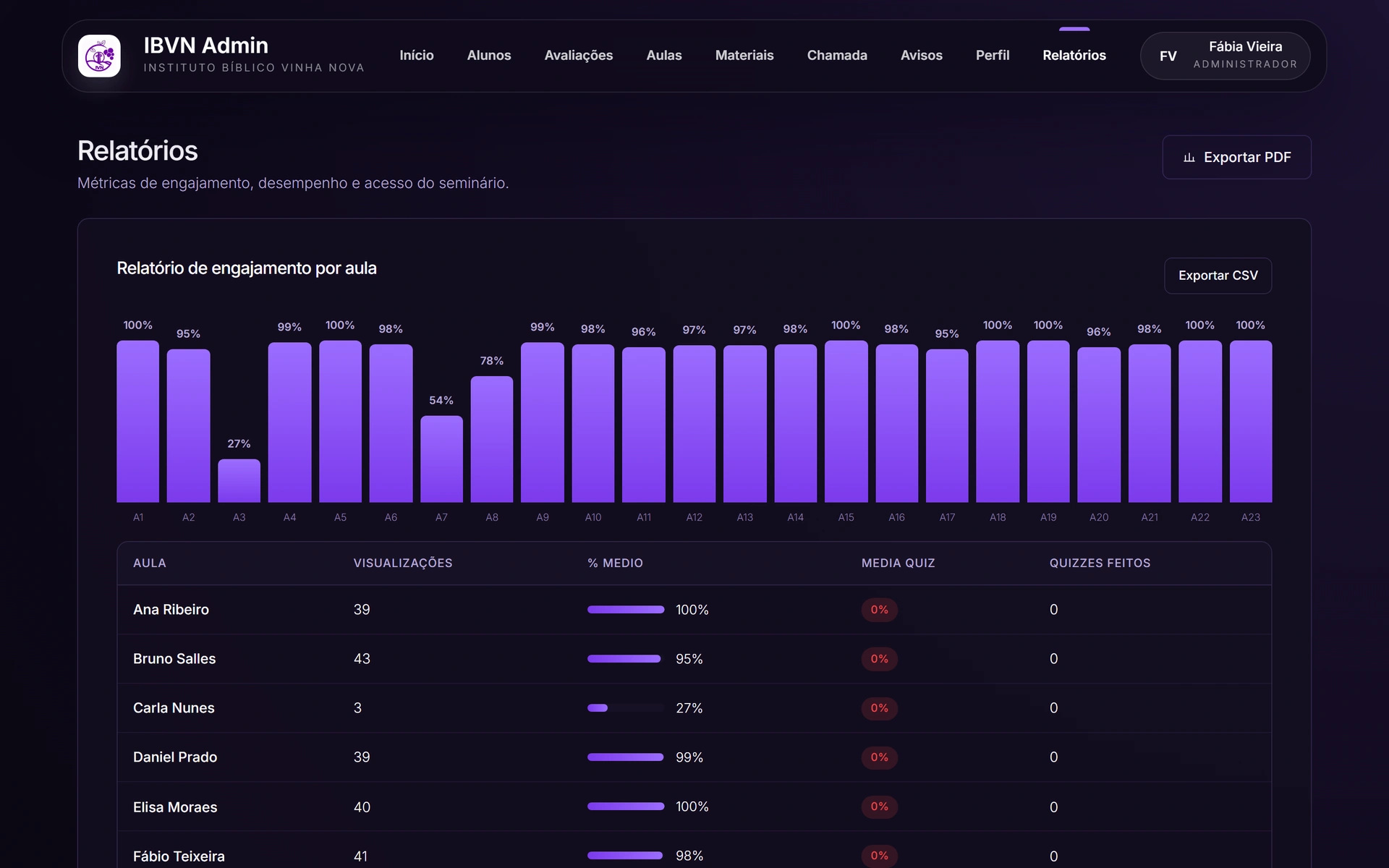
Seminary engagement reports, with a chart per lesson and a table per student
ReportsEngagement per lesson as bars, and below it the table with views, average percentage and quizzes taken per student. This is what shows which lesson is not working.
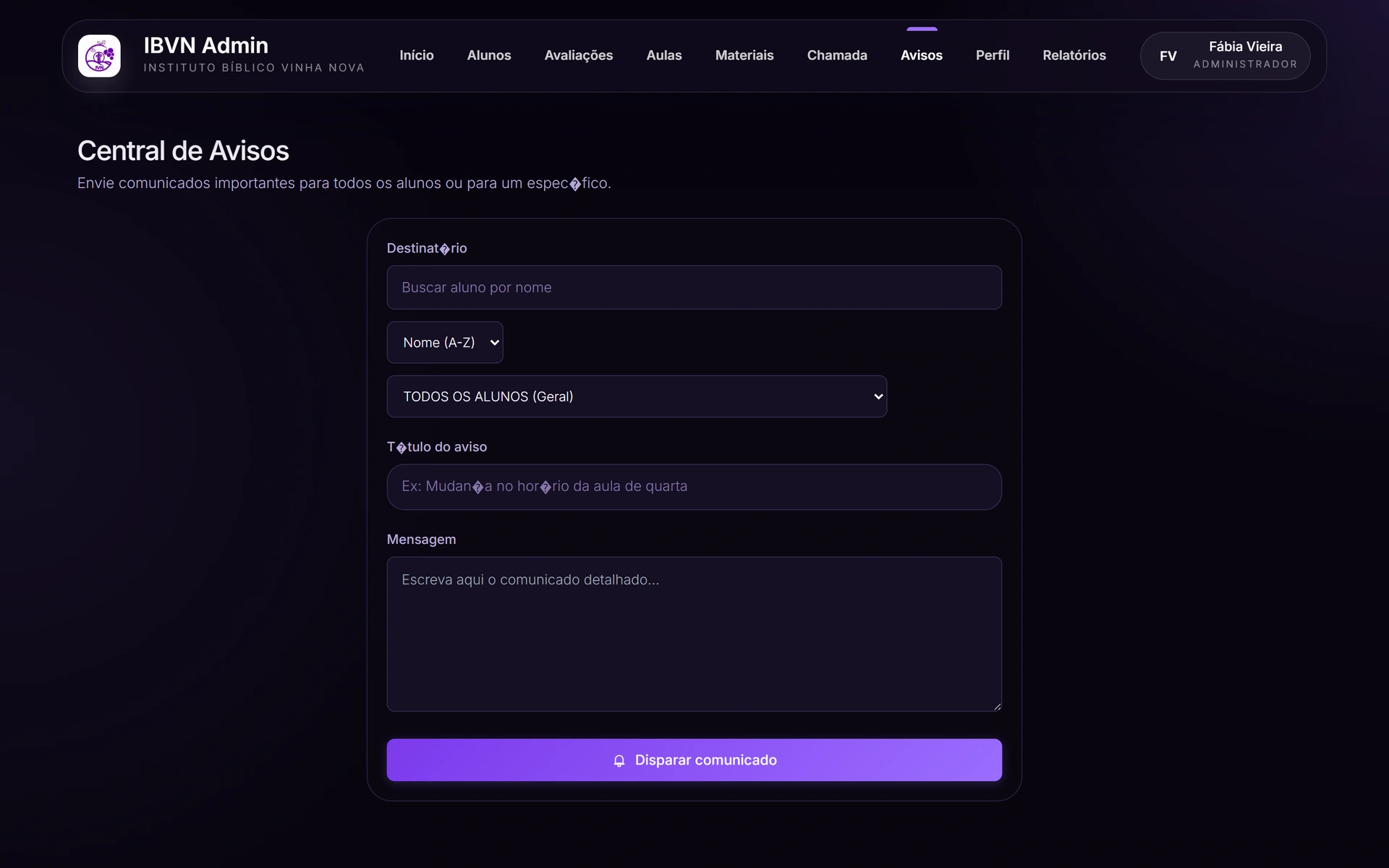
Seminary announcement centre, with recipient, title and message
AnnouncementsThe announcement centre: pick the recipient (the whole class or one student), write a title and a message, send. Without leaving the system and without a side group.
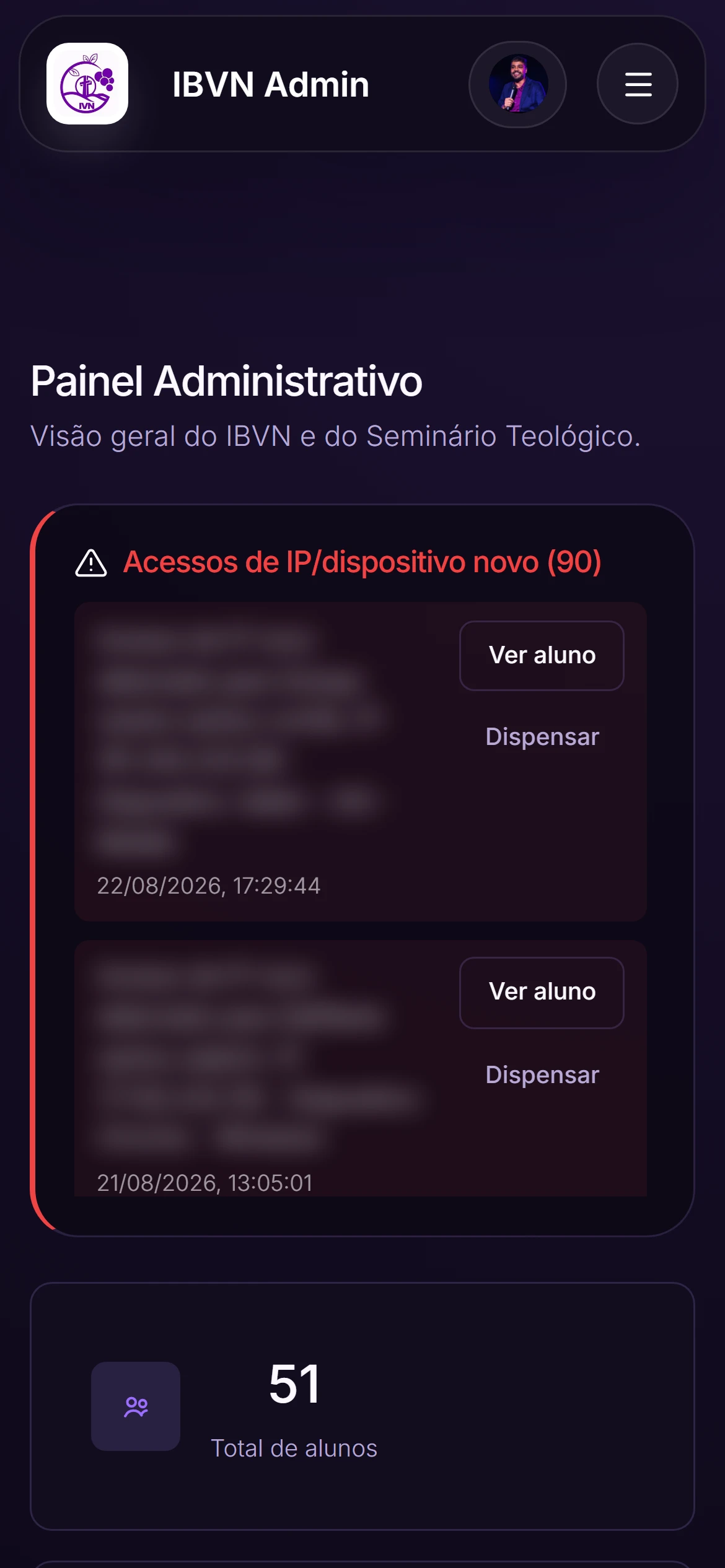
Seminary admin dashboard opened on a phone, student data blurred
Dashboard on the phoneThe same admin dashboard on a phone, with the menu tucked into the corner button. The access alerts come first here too: this is the screen the office checks the class on, on meeting day.
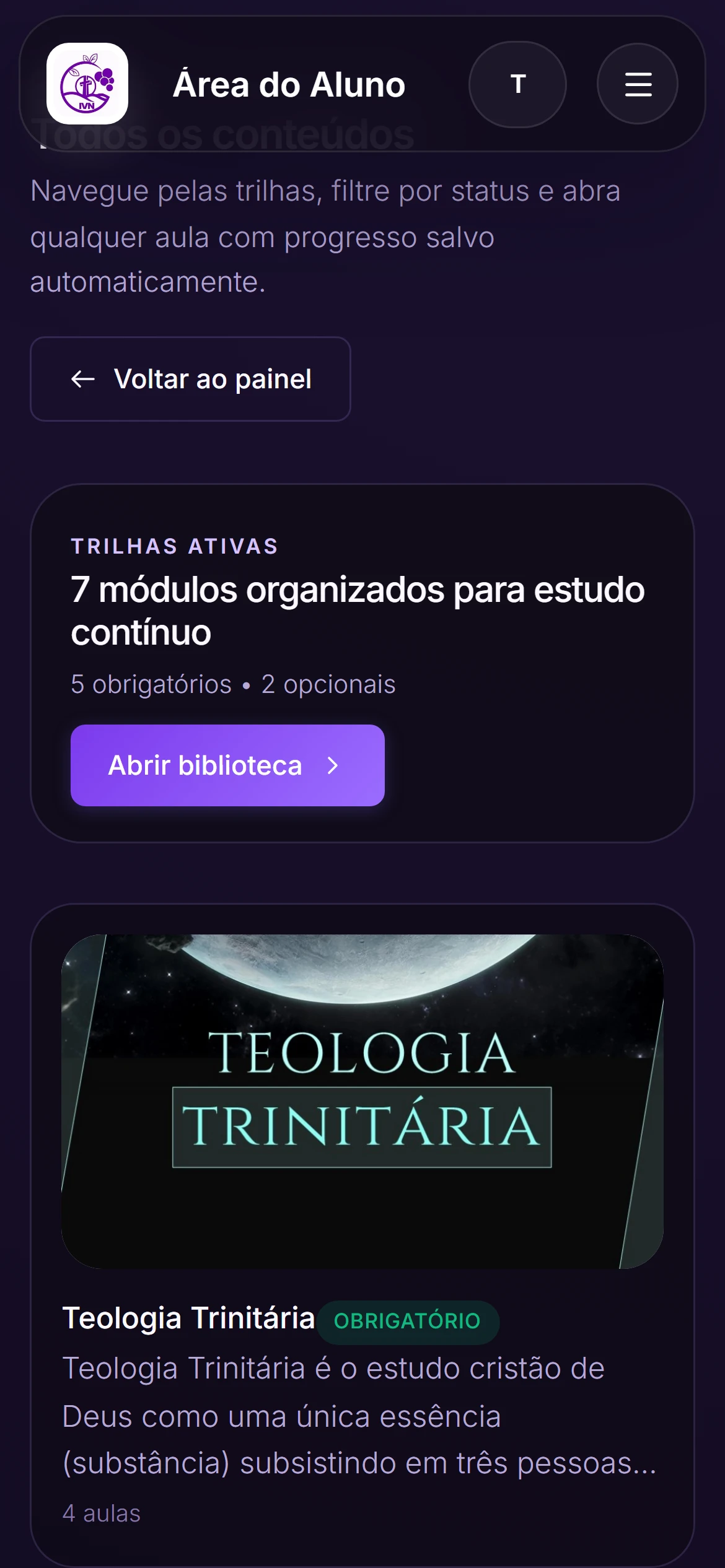
Seminário Vinha Nova content catalogue as seen by a student on a phone
The course as the student sees itThe same seminary from the other side of the door: the student catalogue on a phone, with the active tracks counted as required and optional and each module carrying its own cover. Progress saves itself, so they pick up where they stopped.

Stack

  • React
  • TypeScript
  • Node
  • Prisma
  • PostgreSQL
  • JWT

Three roles, three reaches

Student, administrator and pastor see different things. Defining that at the start avoids the classic small-institution problem: everyone with access to everything because separating it is work.
See other projects

Talk to me